

How to add your own photos and files to a LeadTap.me page with Claude
Claude adds your own photos and reward files to a LeadTap.me lead page without ever receiving them: a file attached to the chat never reaches the LeadTap.me server. The file goes from your browser straight to LeadTap.me’s storage through an uploader that the server shows inside the chat (on claude.ai and Claude Desktop), through curl commands (in Claude Code), or from a URL where it already lives.
Three ways a photo or file reaches LeadTap.me
Section titled “Three ways a photo or file reaches LeadTap.me”The way a file gets to LeadTap.me depends on the Claude client.
| Client | How the file gets there |
|---|---|
| claude.ai, Claude Desktop | An uploader inside the chat (an MCP App): you pick each file, frame each photo, and it uploads from your browser |
| Claude Code | Claude gives you two curl commands per file to run in your terminal |
| Any MCP client | A sourceUrl: the https address of a file that is already online, which the server fetches |
The upload address is signed and short-lived (30 minutes). Claude only receives the resulting URLs, which it places in the page.
The in-chat uploader on claude.ai and Claude Desktop
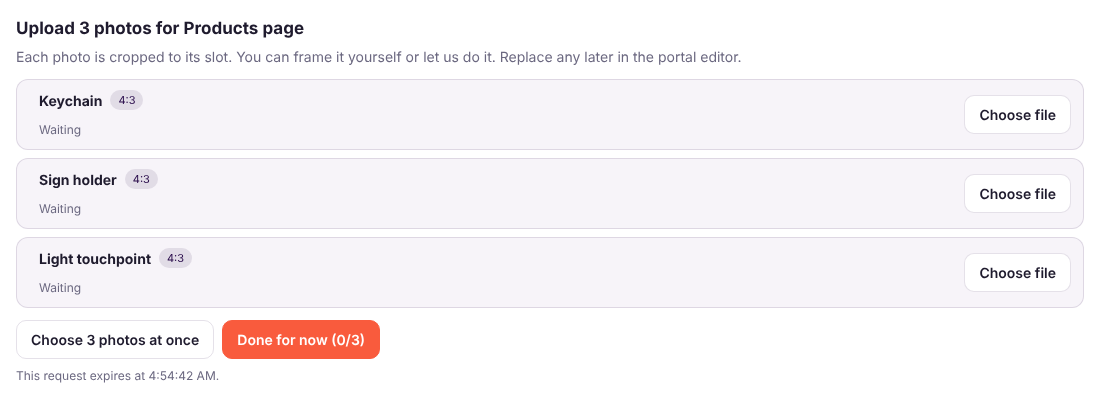
Section titled “The in-chat uploader on claude.ai and Claude Desktop”On claude.ai and Claude Desktop, upload_media opens an uploader in the conversation with one slot per photo the page needs.
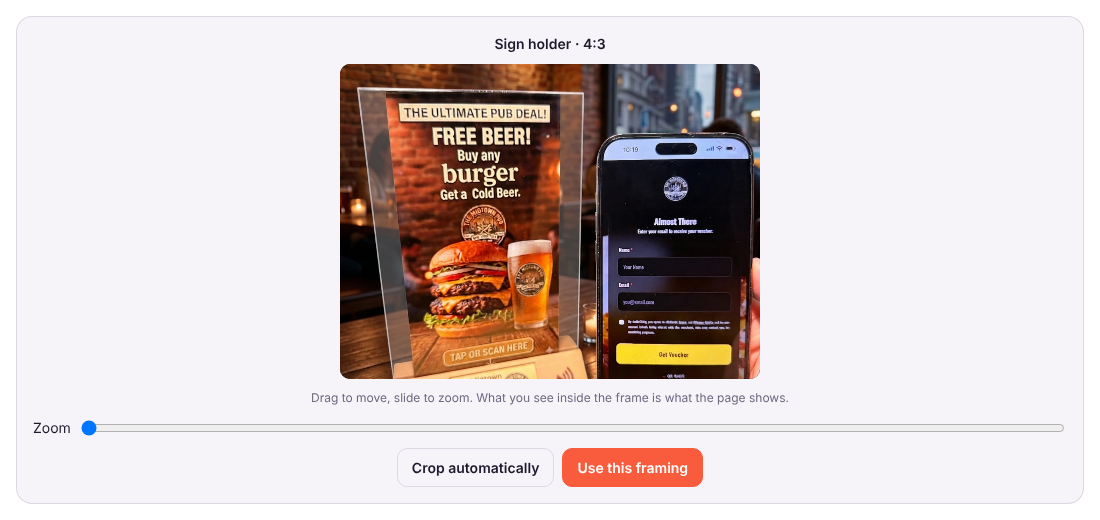
You frame each photo inside its slot, or let LeadTap.me crop it automatically. What you see inside the frame is what the page shows.
Each slot turns to “Uploaded” when its file is stored. Then Claude calls list_media to get the URLs and puts each one in the draft with save_form_draft; the live page changes only when you publish.
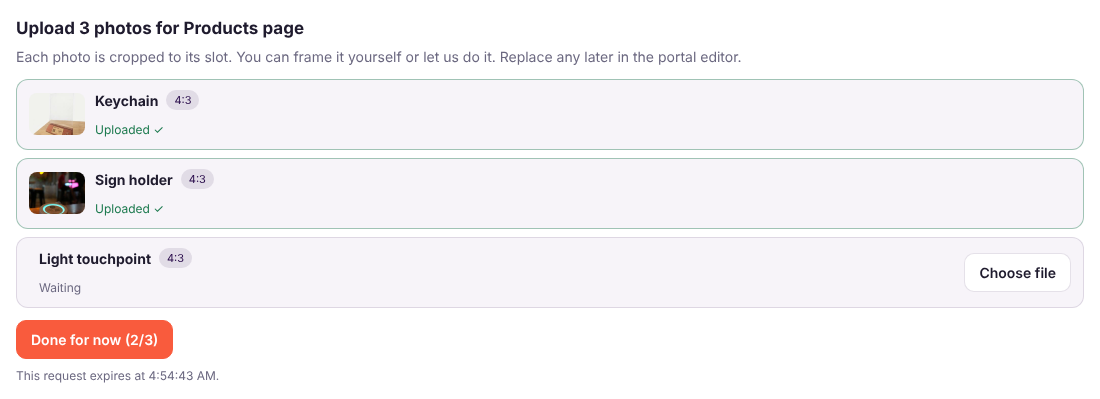
Photo slots and how each photo is cropped
Section titled “Photo slots and how each photo is cropped”Each LeadTap.me photo slot has a fixed shape, and the server crops every photo to it and saves it as webp.
| Slot | Shape |
|---|---|
| Product card | 4:3, up to 1200 × 900 |
| About photo | 4:3, or 9:16 with the cover layout |
| Contact card portrait | 1:1 |
| Option icon | 1:1 |
| Logo | Not cropped; transparency is kept |
| Page background | 9:16 |
There is no minimum resolution: a photo is accepted as it arrives, cropped to its shape and never enlarged. One request takes up to 12 photos, and a photo fetched from a URL can be up to 15 MB.
Your own photos or stock placeholders
Section titled “Your own photos or stock placeholders”Claude asks once whether you want your own photos or stock placeholders. Stock photos are chosen from the description and you replace them later in the portal editor. Where the photo is the claim (finished projects, before and after, the team, the premises, the dishes) Claude never uses stock: those cards wait for your real photos.
Reward files
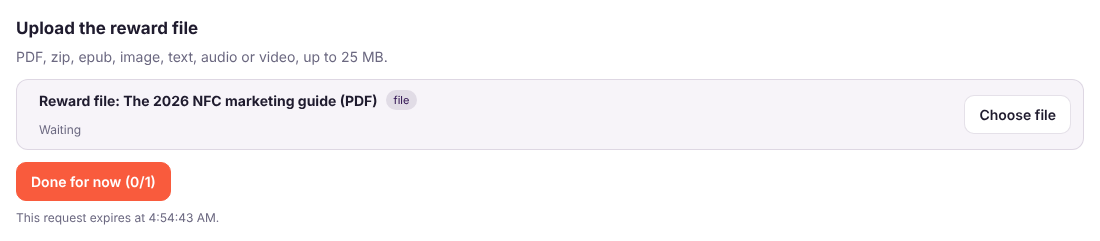
Section titled “Reward files”A file reward is the file a lead receives after confirming their email, and Claude uploads it with upload_file.
| Fact | Value |
|---|---|
| Accepted types | PDF, zip, epub, images, text, csv, mp3, mp4, docx, xlsx, pptx |
| Size | Up to 25 MB |
| Before uploading | The reward must already exist in the draft, as a file reward of one ending |
| After uploading | The reward points to the file by itself; no other step is needed |
| Publishing | publish_form refuses a page with a file reward and no file |
File rewards are a paid page feature; see plans and limits.
What Claude sees of your files
Section titled “What Claude sees of your files”Claude never sees your photos or files. The uploader sends each file from your browser to LeadTap.me’s storage through the short-lived signed address; the server crops photos to their slot and keeps everything in your account’s folder. Claude only receives the URLs. The same is true for the curl commands in Claude Code and for files fetched from a URL.
The LeadTap.me tools for photos and files
Section titled “The LeadTap.me tools for photos and files”Claude handles photos and files with three tools of the MCP server; full descriptions and parameters are in the tool catalog.
| Tool | What it does |
|---|---|
upload_media |
Opens the uploader (or gives the curl commands) for the page’s own photos, up to 12 slots |
upload_file |
Opens the uploader for the file of a file reward |
list_media |
What was uploaded: each file’s status, URL and the field of the page where it goes |
When something goes wrong the tools answer with an error code: BAD_SLOT, REWARD_NOT_FOUND or REWARD_FILE_MISSING. See MCP errors.